
Bring
your music to life
beatember creates visuals that react to your music, live on stage, while streaming or as clips for your socials.
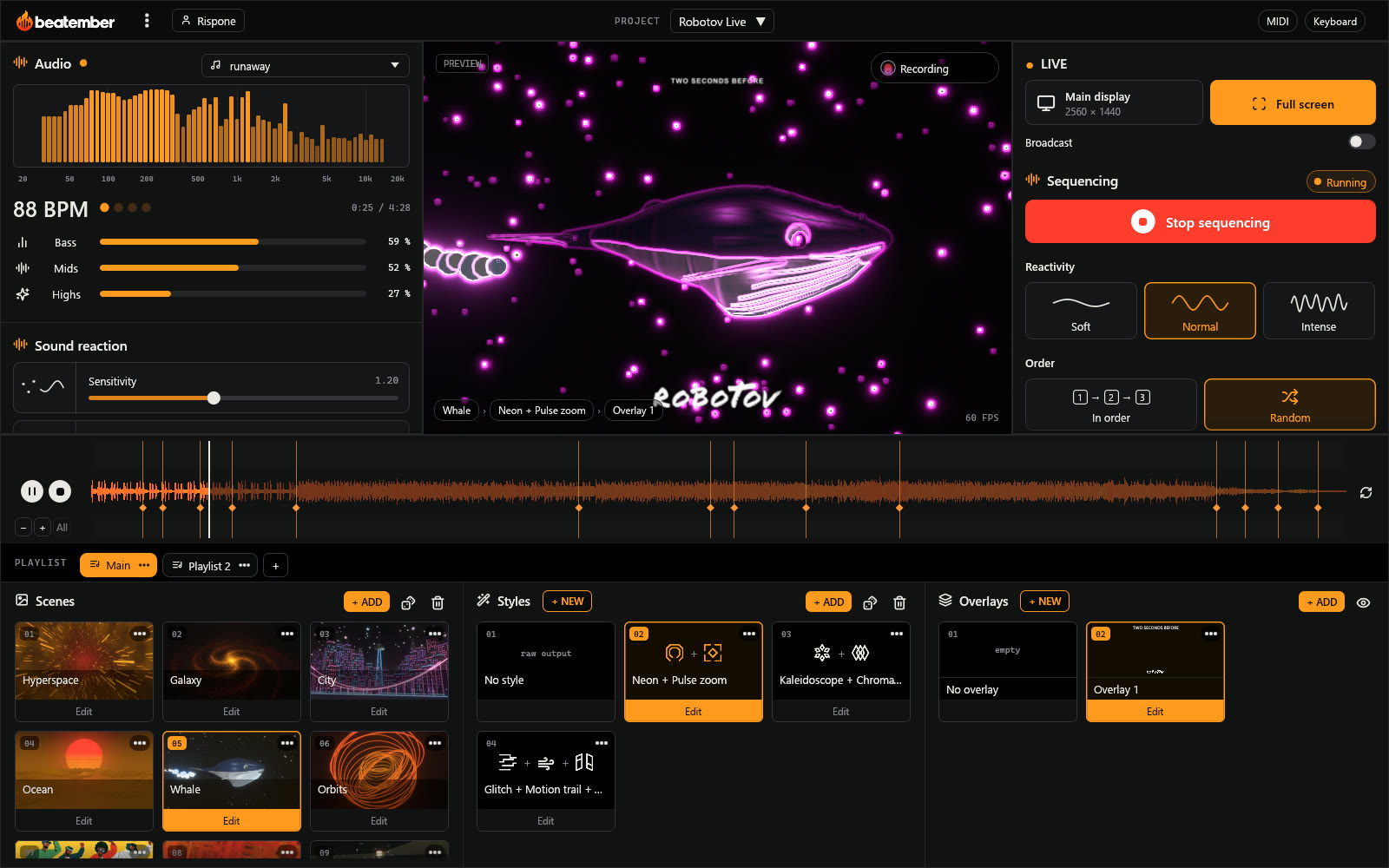
Automatic sequencing
Start the music, beatember runs the show
beatember listens to the track and changes scene, style and overlay at the right moment, on its own: on a drop, after a break, when the sound comes back. Take over whenever you want, with a click or a MIDI controller.
Automatic sequencing
The playlist of your scenes runs to the rhythm of the track, in order or at random. Gentle, normal or intense reactivity depending on the night.
Track cues
With an audio file, every change is spotted in advance on the waveform. Force a scene and a style wherever you want, the rest follows on its own.
Scenes, styles and overlays
Each playlist has its own scenes, styles and overlay. One click on “Change now” switches the scene, the style or both.
MIDI
Want to step in easily during the show? Plug in a MIDI device to take control of beatember at any moment.
Made for
Musicians
A video for your track in minutes: vertical for TikTok and Reels, 16:9 for YouTube, a short clip for Spotify Canvas.
VJs and venues
Live visuals that follow the sound in the room, driven from the keyboard or a MIDI controller, sent to a projector or VJ software.
Streamers
An animated background that dances to your music, sent to OBS with no quality loss.
Clips from your tracks
A music video for your track, almost on its own
Open your track: beatember analyzes it and cuts the clip to the music, scene after scene. Tweak whatever you like, pick the format, record.
- Changes land on their own on the build-ups, drops and breaks
- Force a scene or a style wherever you want before recording
- 16:9 for YouTube, portrait for TikTok and Reels, or square
- Recorded with your overlay, with no quality loss
Every kind of picture, dancing
A scene is a picture that reacts to sound. beatember mixes four kinds, which you can switch between freely during the live show.
Procedural scenes
Over 70 3D worlds computed in real time: tunnels, galaxies, oceans, crystals, fluid shapes. Every scene can be tuned and recolored, and they are all free.
3D scenes
Your animated 3D models in glTF format (exported from Blender, Cinema 4D…), moving with the music. An exclusive catalog, downloaded from the app, is reserved for subscribers.
Videos
Your own clips, framed the way you want and driven by effects that react to the sound. Exclusive videos are also available to subscribers.
Camera, screen and windows
Film the stage with a camera, or capture a screen or an app, then run it through the effects.
New in the app
3D scenes and videos are added regularly, ready to download from the app. Exclusive ones are for subscribers.
Latest 3D scenes
 Subscribers
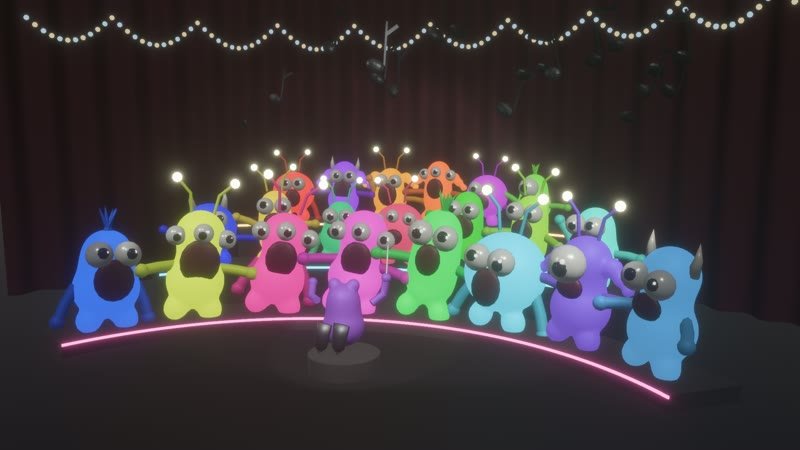
Monsters
Added on October 30, 2026
 Subscribers
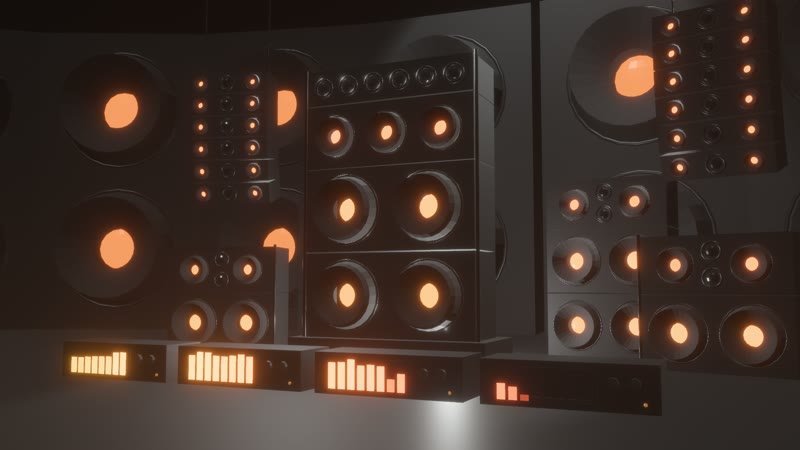
Speakers
Added on October 28, 2026
 Subscribers
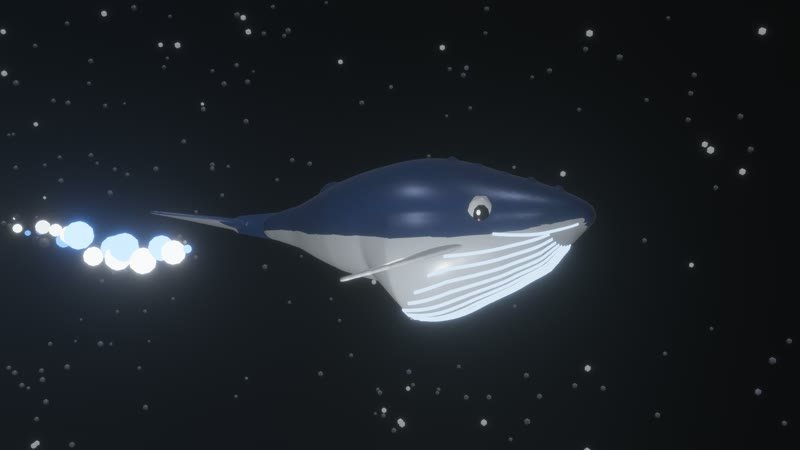
Whale
Added on October 28, 2026
Latest videos
 Subscribers
Burning tube
Added on November 2, 2026
 Subscribers
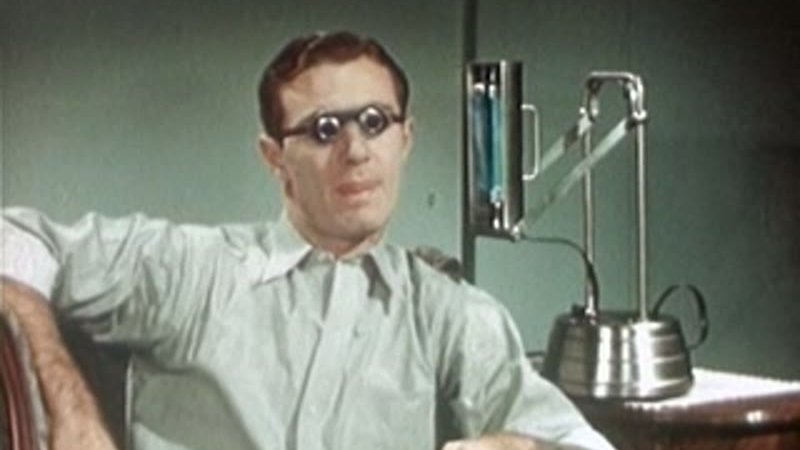
Strange man
Added on November 2, 2026
 Subscribers
Chicks
Added on November 2, 2026
Everything for the live show
All features →Detailed listening
Bass, mids, highs, beats and build-ups: every scene knows what it hears, from a microphone, your computer's sound or a file.
Over 110 effects
Kaleidoscope, glitch, VHS, neon, watercolor… that stack up and react to the beat.
Color palettes
Ready-made palettes, your own and your favorites, switched on the fly.
Track cues
The track analyzed in advance: force a scene or a style on a cue, the rest flows on its own.
MIDI controllers and keyboard
Map buttons and knobs to scenes, palettes and effects in one click.
Overlays
Your logo, the name of the night, a QR code or the time, on top of the picture; one overlay per playlist.
Full screen, Spout and OBS
On a projector or a second screen, and to OBS, Resolume or TouchDesigner with no quality loss, in 16:9, portrait or square.
Recording and clips
Record your performance from the first note, or a clip for TikTok, YouTube or Spotify Canvas.
A glimpse of the procedural scenes
Tunnels, galaxies, oceans, fluid shapes: every scene can be tweaked and recolored, and reacts to bass, highs and beats.
In three steps
1
Pick the sound
Microphone, computer sound, audio interface or audio file.
2
Pick your scenes
Colors, effects, transitions: everything is adjusted live.
3
Play or export
Full screen, OBS streaming, recording or a clip ready to post.
Try it now
The free version gives you every feature and every procedural scene, with no time limit. Only a beatember logo appears in the picture.
Download for free