
Features
Everything you need to turn sound into visuals, on stage or in the studio.
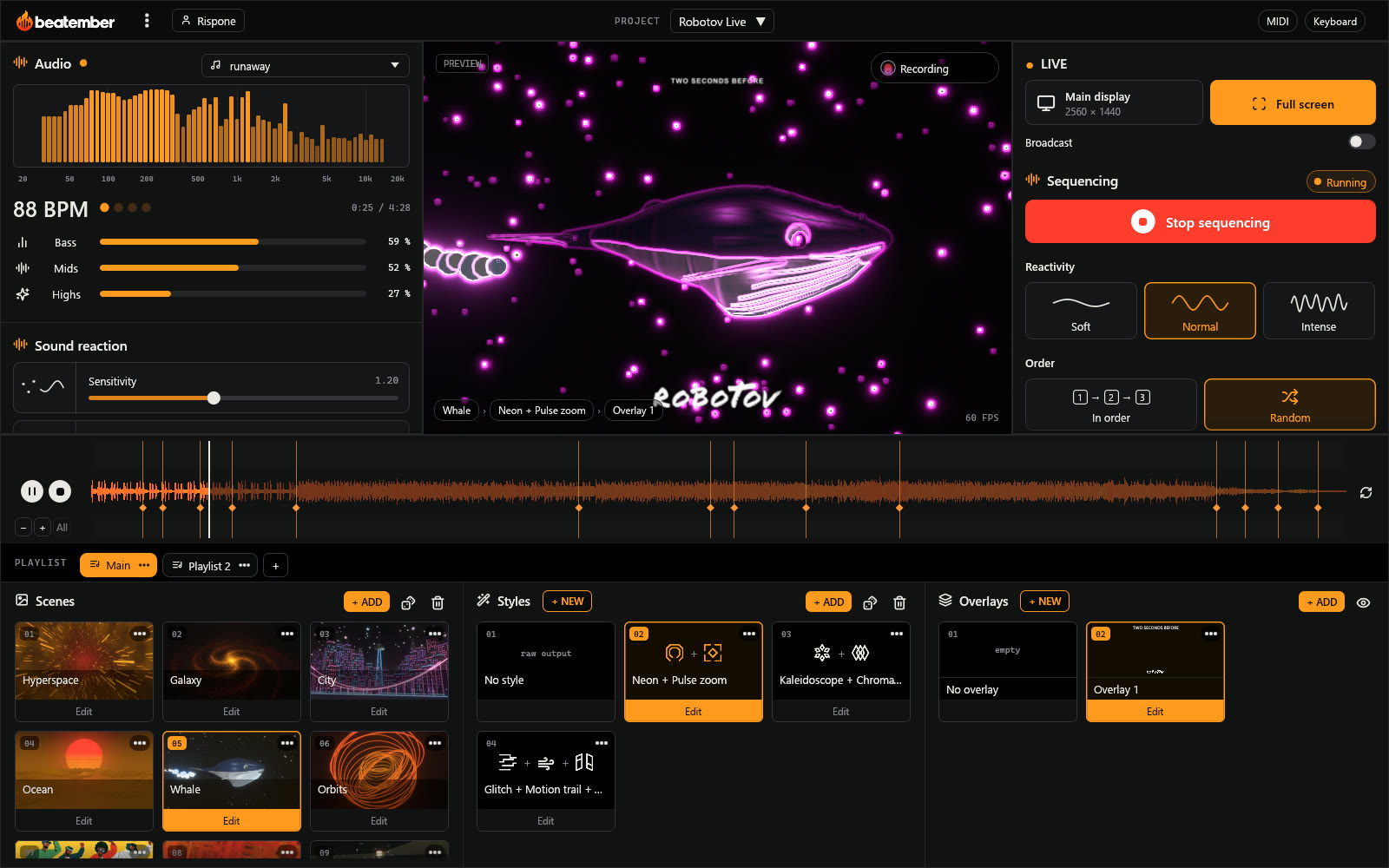
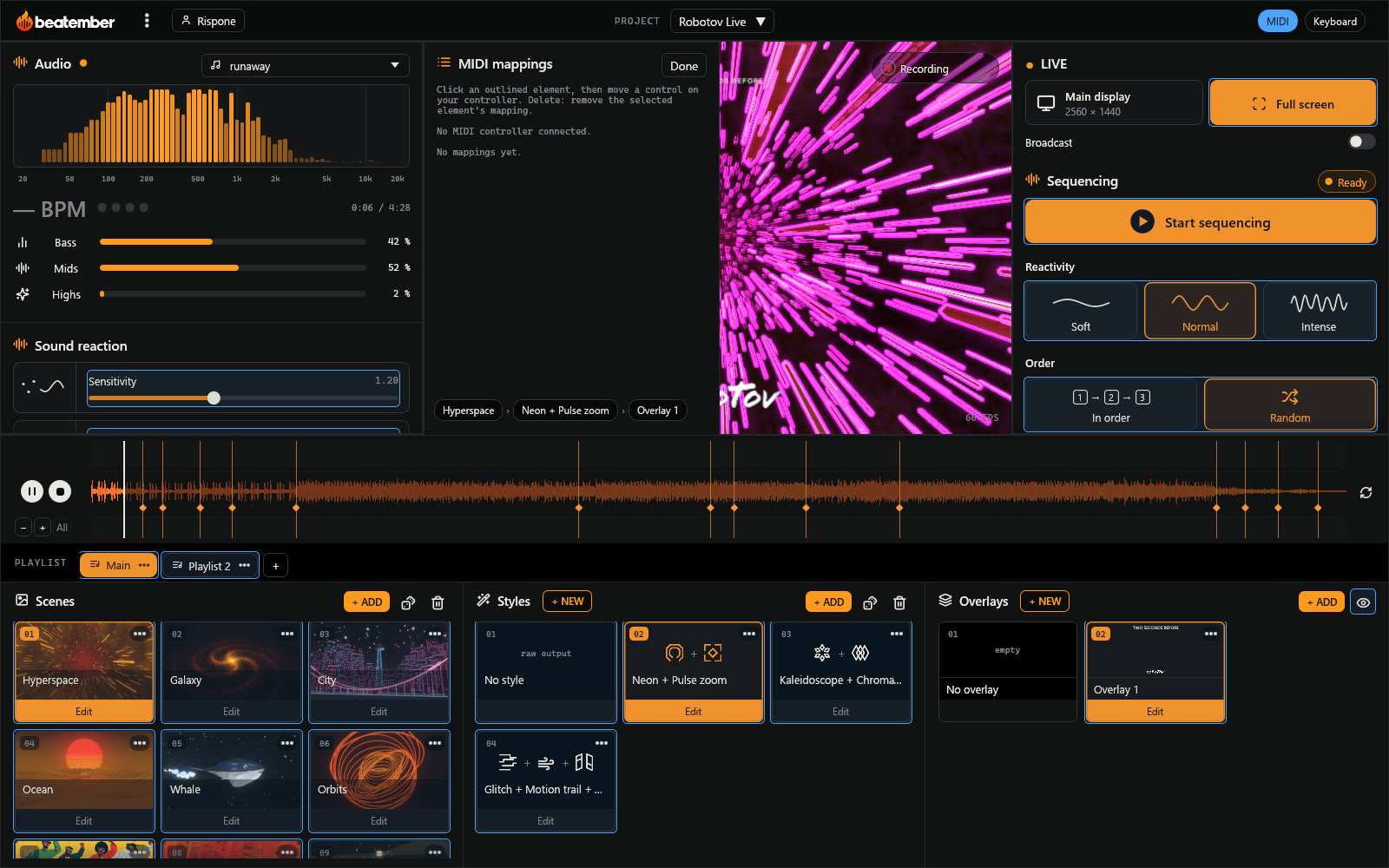
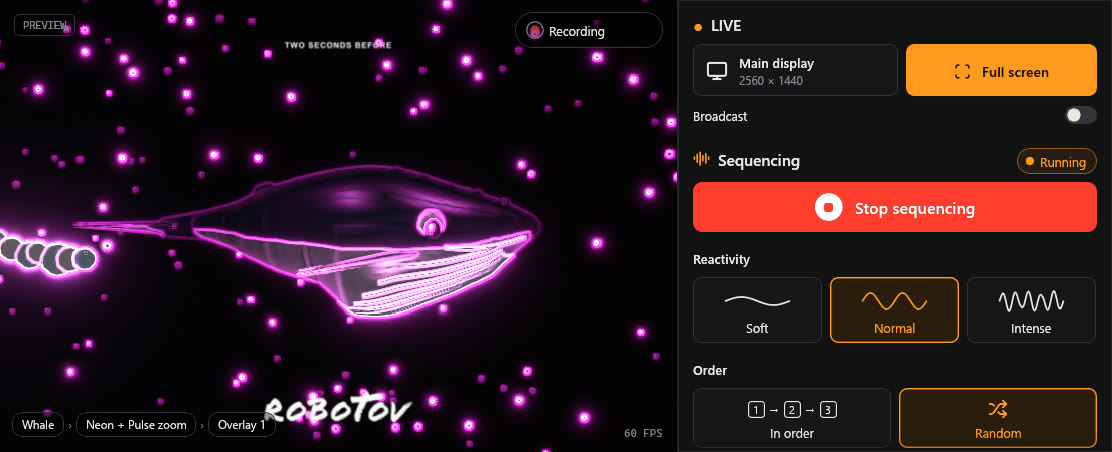
The live screen: sound on the left, picture in the middle, sequencing on the right, the track and the playlist at the bottom.
Automatic sequencing
The show runs itself
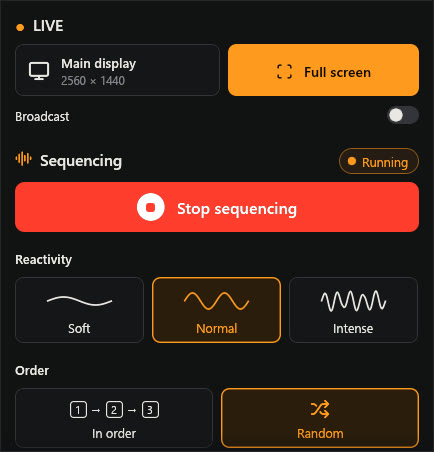
Start sequencing: beatember changes scene, style and overlay to the rhythm of the track, at the right moment, and lets you take over whenever you like.
- Gentle, normal or intense reactivity
- Scenes in playlist order or at random
- Build-ups, drops, breaks and comebacks recognized; during a build-up, it waits for the drop
- Transitions locked to the beat when the tempo is reliable
- “Change now”: the scene, the style or both, in one click
Clips from your tracks
Your music video, almost on its own
Open your track: beatember analyzes it in advance and places scene and style changes on the build-ups, drops and breaks. Tweak whatever you like, pick the format, start recording: your clip is ready to post.

Automatic editing
Cues land on the music as soon as the file opens: the clip is already cut before you touch anything.
Customized before recording
Force a scene and a style on any cue, add or remove cues, loop a section to fine-tune it.
The format of your platforms
16:9 for YouTube, portrait for TikTok, Reels and Spotify Canvas, or square, with a frame you place on the picture.
Recorded in one click
Recording follows the track playback, with its overlay, with no quality loss.
Scenes
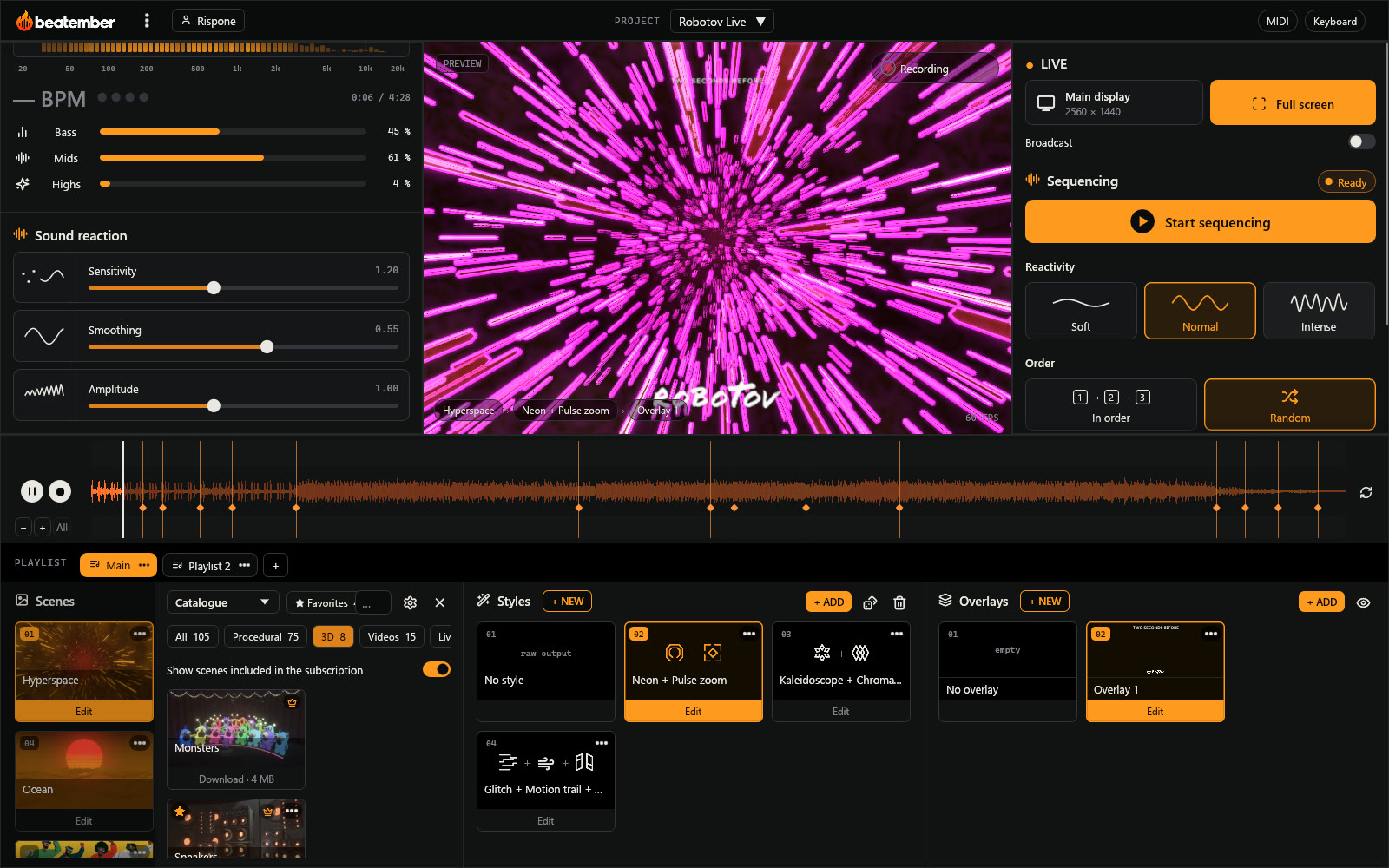
Four kinds of pictures
Open the library, add scenes to the playlist: they follow one another during the show.
- Procedural scenes: over 70 3D worlds rendered in real time, all free
- 3D scenes: your animated models, plus an exclusive catalog for subscribers
- Videos: your clips, framed the way you want, plus exclusive videos for subscribers
- Live: camera, full screen or an app window
- The catalog is downloaded from the app, and grows regularly
The Studio
Every scene can be fine-tuned
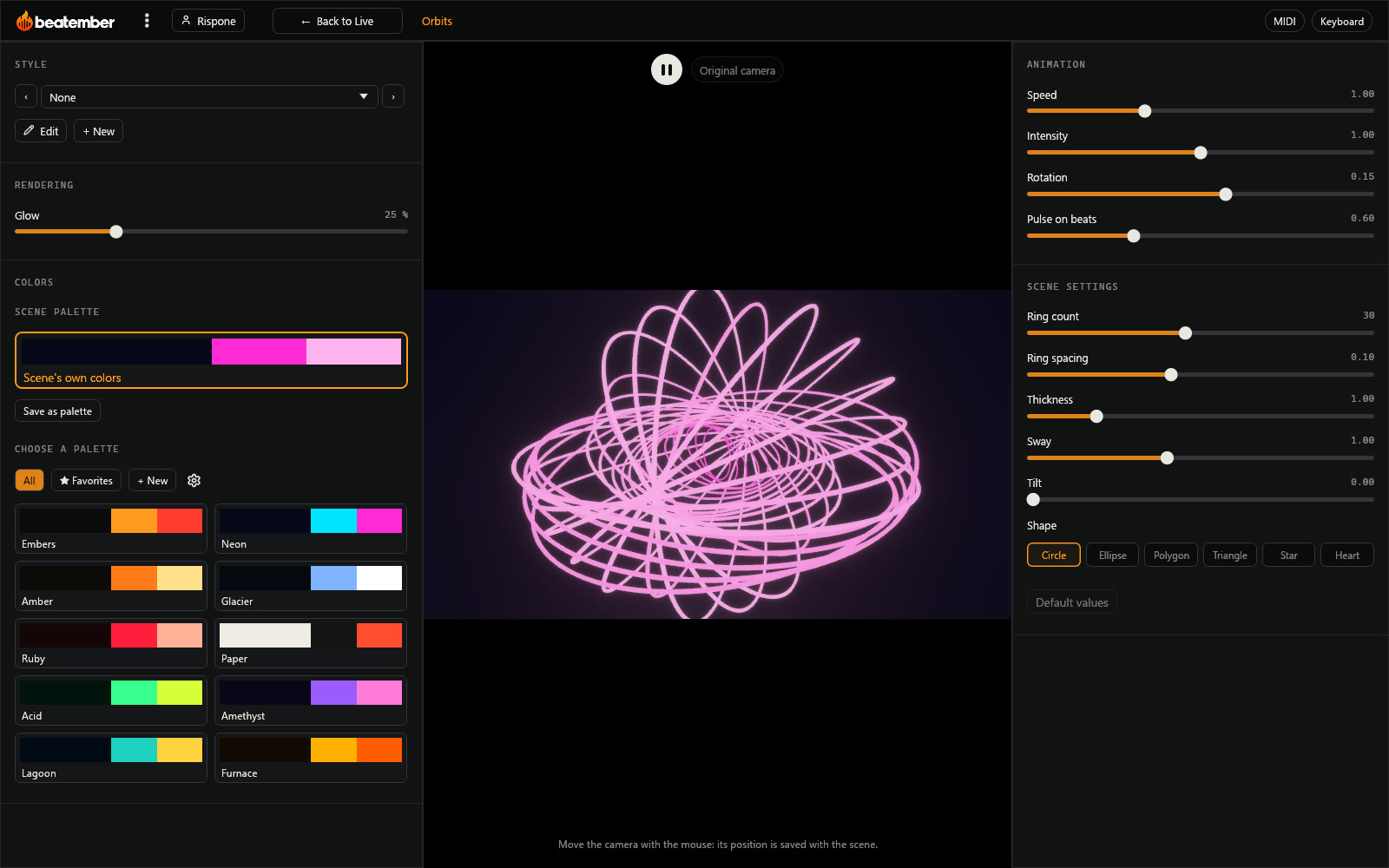
Open a scene in the Studio: its animation, its own settings, its colors and its style are adjusted live, on the music that's playing.
Animation
Speed, intensity, rotation and pulse on the beats.
Scene settings
Each scene has its own: number of rings, thickness, shape, sway…
3D scenes
Choose which objects react to the bass, the highs or the beats, and place the camera.
Colors
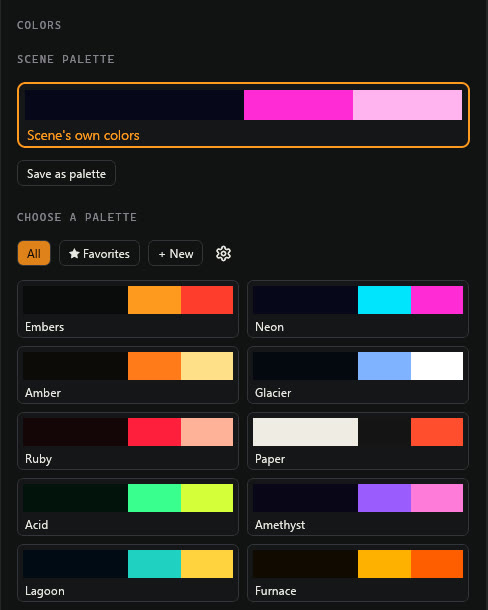
Palettes for every mood
Change all the colors of a scene in one click, or create your own.
- About twenty ready-made palettes
- Your own palettes, saved with the project
- Your favorites, which the MIDI controller cycles through during the show
Effects and styles
Over 110 effects to combine
In the style workshop, stack effects to build a style: color, space, texture, glitch, motion, time, sound reaction… The live show rotates them along with the scenes.
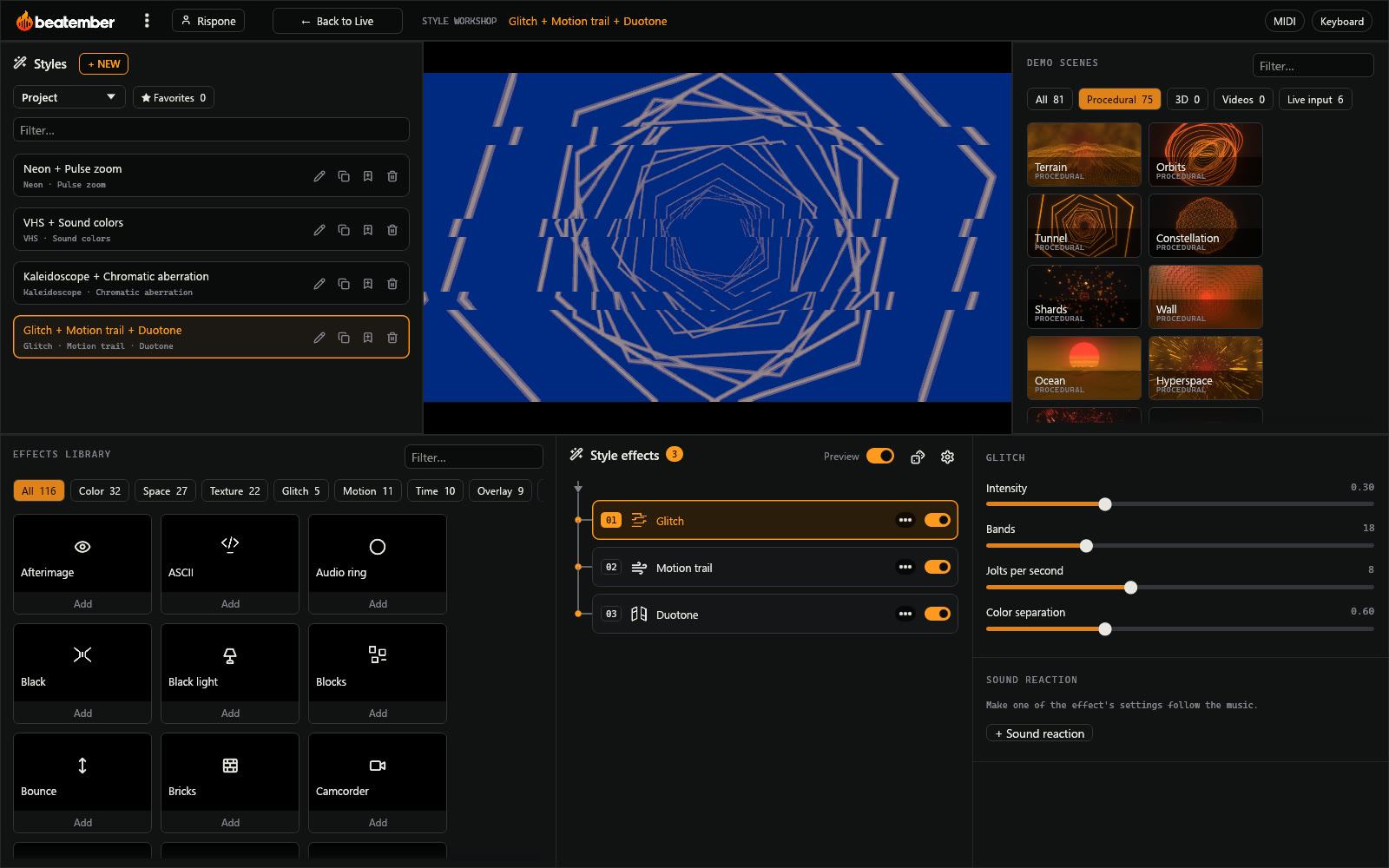
Effects that stack
Neon then watercolor, glitch then motion trail: effects apply one after the other, in list order.
Reusable styles
A style groups several effects and their settings; it applies to a scene or rotates during the show.
Effects that react to sound
Make an effect setting follow the music: a glitch on the bass, a flash on the beats.
Overlays
Your identity over the picture
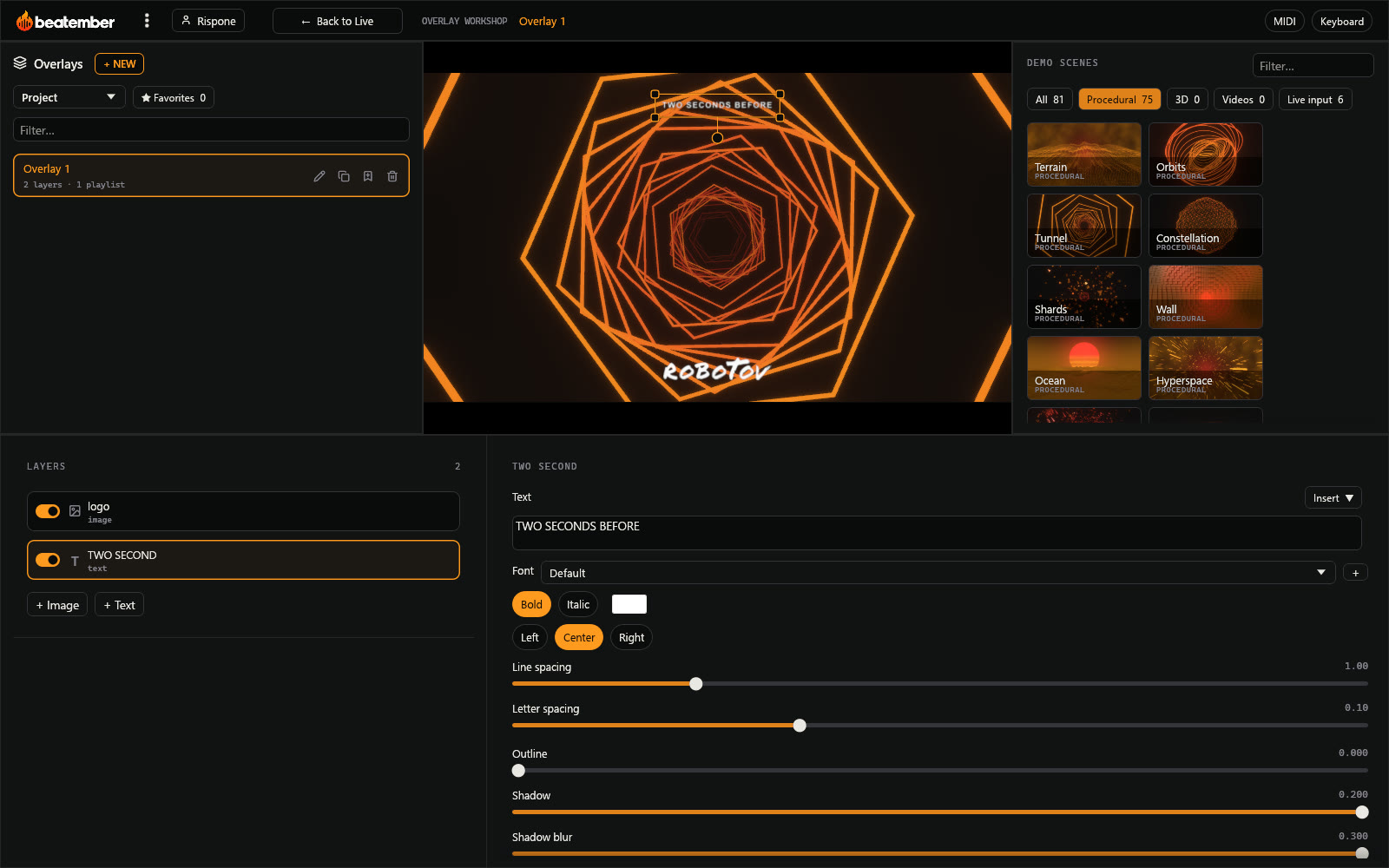
Logo, name of the night, QR code or time: build an overlay in layers, laid over the live picture.
- Several overlays per project, one per playlist or per moment of the night
- Images and text that can react to the sound
- Adjusted right on the picture, in the output format
Control
MIDI controller and keyboard
Switch to mapping mode: everything you can control gets outlined. Click one, touch a button or knob on your controller, and it's mapped.
- Sound settings, sequencing, scenes, styles, overlays and palettes
- Keyboard shortcuts, mapped the same way
- Mappings are saved with the project
Output
On the big screen, in a stream, on video
Send the picture wherever it needs to go, with no quality loss.
- Full screen on the display or projector of your choice
- Spout output to OBS, Resolume or TouchDesigner, with a step-by-step guide for OBS
- 16:9, portrait or square format, with a frame you place on the picture
- Video recording, which can start on the first sound and stop after a few seconds of silence
- Performance menu: output resolution and graphics card choice, for smaller machines
And also
Several playlists
One playlist per night or per mood, with its own scenes, styles and overlay.
Favorites and templates
Your favorite scenes, styles and overlays, and templates to reuse from one project to the next.
Clips for social media
Vertical 9:16 for TikTok and Reels, 16:9 for YouTube, and short clips for Spotify Canvas.
Try it now
The free version gives you every feature and every procedural scene, with no time limit. Only a beatember logo appears in the picture.
Download for free